
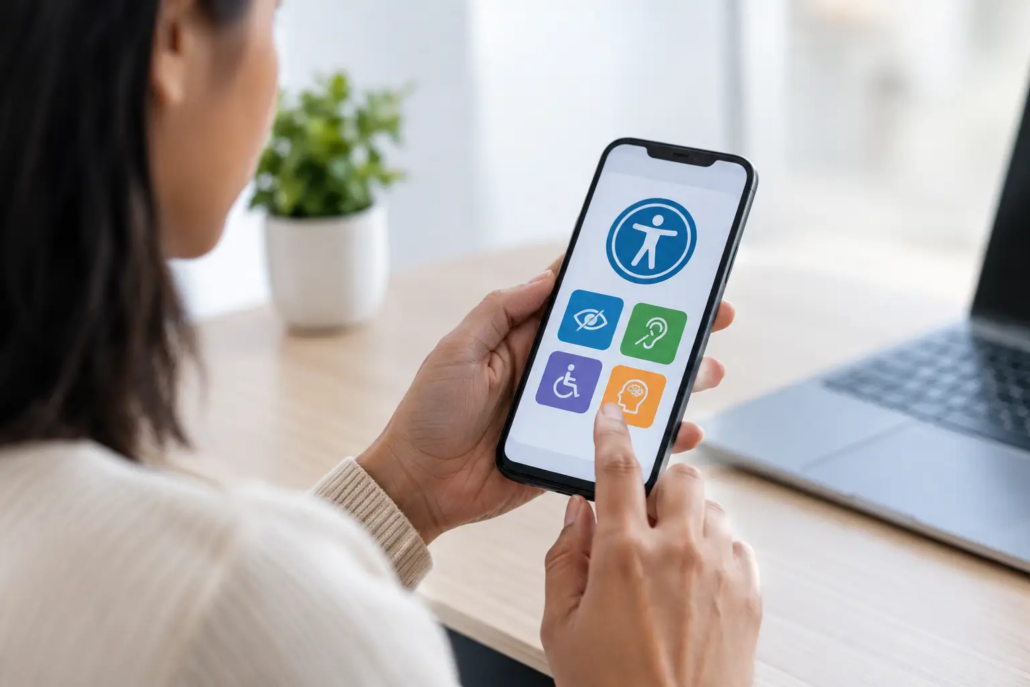
Mobile Accessibility Compliance Guide for Apps
A customer who cannot log in, read a balance, schedule a service, or complete a purchase in your app is not facing a minor usability inconvenience. They are being excluded from a core business interaction. For organizations that rely on mobile to serve customers, employees, or partners, this mobile accessibility compliance guide is a practical way to reduce that risk while building a better product for every user.
Accessibility is often treated as a final QA task. That approach creates avoidable rework, leaves gaps in critical flows, and can turn a manageable product decision into a legal and reputational concern. The more effective approach is to make accessibility part of product strategy, design, development, testing, and long-term support.
What mobile accessibility compliance means for your business
Mobile accessibility means people with disabilities can perceive, understand, navigate, and operate your iOS or Android application. This includes users who are blind or have low vision, are deaf or hard of hearing, have limited mobility or dexterity, have cognitive disabilities, or use their devices in ways your team may not anticipate.
Compliance is the related obligation to meet applicable laws, regulations, contractual requirements, and platform expectations. In the United States, the Americans with Disabilities Act is frequently central to the conversation, particularly when an app supports goods, services, or activities offered to the public. Section 508 may apply to federal agencies and organizations working under certain federal contracts. State laws, industry rules, and enterprise procurement standards can add further obligations.
There is no single certification that makes every mobile app legally safe in every circumstance. The appropriate standard depends on your industry, audience, business model, and the role the app plays in delivering a service. Many teams use the Web Content Accessibility Guidelines, commonly called WCAG, as a practical benchmark, often targeting Level AA where appropriate. Legal counsel should advise on your organization’s specific obligations, while your product and development teams turn those requirements into working software.
Start with the journeys that carry business risk
Do not begin by reviewing every screen with equal weight. Begin with the tasks that affect revenue, service access, account security, and customer trust. For a financial app, that may include authentication, viewing account information, transferring funds, and contacting support. For a field-service app, it may mean accepting assignments, using maps, uploading proof of work, and accessing safety information.
This is also where accessibility becomes commercially useful. Clear labels, predictable navigation, readable content, and forgiving error handling help users with disabilities, but they also help customers using a phone one-handed, working in bright sunlight, recovering from an injury, or navigating under time pressure.
A meaningful accessibility review should map the complete path, not just individual screens. A beautifully accessible login page does little good if the password reset flow traps a screen reader user, or if an unlabeled confirmation button prevents a customer from finishing a transaction.
Build accessibility into product decisions
Define requirements before design begins
Treat accessibility as an acceptance criterion for each feature, not a general aspiration in a project brief. Product owners should be able to describe what success looks like for keyboard or switch access, screen reader announcements, text scaling, color contrast, error recovery, and motion preferences.
For example, a requirement such as “users can filter results” is incomplete. A stronger requirement explains that filters must have programmatic labels, communicate selected states, remain usable with larger text sizes, and provide understandable feedback when results change. This level of specificity prevents ambiguity from reaching development.
Design for flexible presentation and clear interaction
Design systems are an effective place to establish accessible defaults. Set color tokens that meet contrast expectations, define type styles that remain readable when users increase text size, and create components with minimum tap targets and clear focus states. Avoid conveying meaning through color alone. If a payment status is shown in red or green, include text, an icon, or another clear cue.
Mobile layouts must also survive change. Users can increase font sizes significantly, enable bold text, use display zoom, or view the interface in landscape orientation. A design that looks polished at the default setting can fail quickly when a fixed-height card cuts off essential content or a critical button drops below the visible area.
Motion deserves similar attention. Auto-playing content, animated transitions, and time-limited interactions can create barriers for users with vestibular disorders, cognitive disabilities, or limited dexterity. Motion may still support the experience, but it should not be the only way to understand state changes or complete a task.
Use native platform accessibility features correctly
Both iOS and Android provide mature accessibility frameworks, including VoiceOver and TalkBack support, accessibility traits or roles, focus management, scalable text, and system preference APIs. Native components typically provide a stronger starting point because they include expected behaviors out of the box.
Custom controls are not inherently wrong, but they carry more responsibility. A custom dropdown, calendar, chart, or drag-and-drop interaction must expose its name, role, state, and value to assistive technology. It must also support an understandable focus order and alternatives for actions that rely on precise gestures.
This is a trade-off worth discussing early. Highly customized interfaces may reinforce a brand vision, but each custom component increases implementation and testing effort. In many business applications, using established platform patterns produces a more accessible experience and lowers maintenance cost over time.
Test the app the way customers use it
Automated accessibility checks are useful, but they cannot establish compliance on their own. They can identify missing labels, small touch targets, contrast concerns, and certain structural problems. They cannot reliably judge whether a screen reader announcement makes sense, whether an error message helps someone recover, or whether a complex workflow is understandable.
A dependable quality process combines automated scans with manual testing on real devices. Test with VoiceOver on iOS and TalkBack on Android. Increase system text size, enable bold text and display zoom, turn on reduced motion, and verify that critical tasks remain usable. Test external keyboards and switch access when your audience or use case makes them relevant.
The following checks should be part of release readiness for key journeys:
- Every actionable element has a clear, concise accessible name.
- Focus moves in a logical order and does not disappear after a modal or error state opens.
- Buttons, selected items, toggles, and form fields communicate their current state.
- Text and controls remain usable at larger system font settings.
- Error messages identify the issue and explain the next action.
- Information is not communicated by color, sound, or gesture alone.
When possible, include people with disabilities in usability research. Their feedback identifies friction that checklist-based reviews can miss. It also keeps the team focused on real outcomes rather than treating accessibility as a set of technical boxes to check.
Make accessibility part of mobile app governance
An accessible launch is valuable, but mobile products change constantly. New features, operating system updates, analytics SDKs, design refreshes, and third-party payment or identity tools can introduce regressions. Accessibility needs ownership after release.
Assign clear responsibility across the product lifecycle. Product leaders should prioritize remediation based on customer and business impact. Designers should maintain accessible component libraries. Engineers should use platform APIs correctly and include accessibility in code review. QA teams should test priority journeys before every release. Support teams should have a defined path for receiving and escalating accessibility feedback.
Documentation also matters. Keep an accessibility backlog with severity, affected journey, owner, target release, and verification notes. This creates transparency for leadership and helps procurement, legal, and customer-facing teams answer questions with confidence. If your organization publishes an accessibility statement, make sure it reflects the actual app experience and gives users a practical way to report barriers.
A mobile accessibility compliance guide for partners and vendors
If an outside team builds or maintains your app, accessibility must be explicit in the engagement. A statement that the app will be “accessible” is too vague to manage. Define the target standard, priority user journeys, supported devices and operating systems, testing expectations, remediation process, and deliverables before work begins.
Ask prospective development partners how they handle accessibility in discovery, UX review, engineering, QA, and post-launch support. Request examples of how they address screen reader behavior, dynamic type, semantic controls, and regressions following platform updates. The strongest partner is not the one that promises zero issues. It is the one with a transparent process for finding, prioritizing, fixing, and verifying issues throughout the app lifecycle.
At NS804, that means treating accessibility as part of product quality and business continuity, not as a late-stage add-on. A strategic development process gives decision-makers visibility into trade-offs before they become expensive production changes.
Accessibility work is most valuable when it begins with an honest question: can every customer complete the action that matters to them? Build your next release around that answer, and you will create a mobile experience that earns more trust, reaches more people, and is better prepared for the long term.


Leave a Reply
Want to join the discussion?Feel free to contribute!